macOS
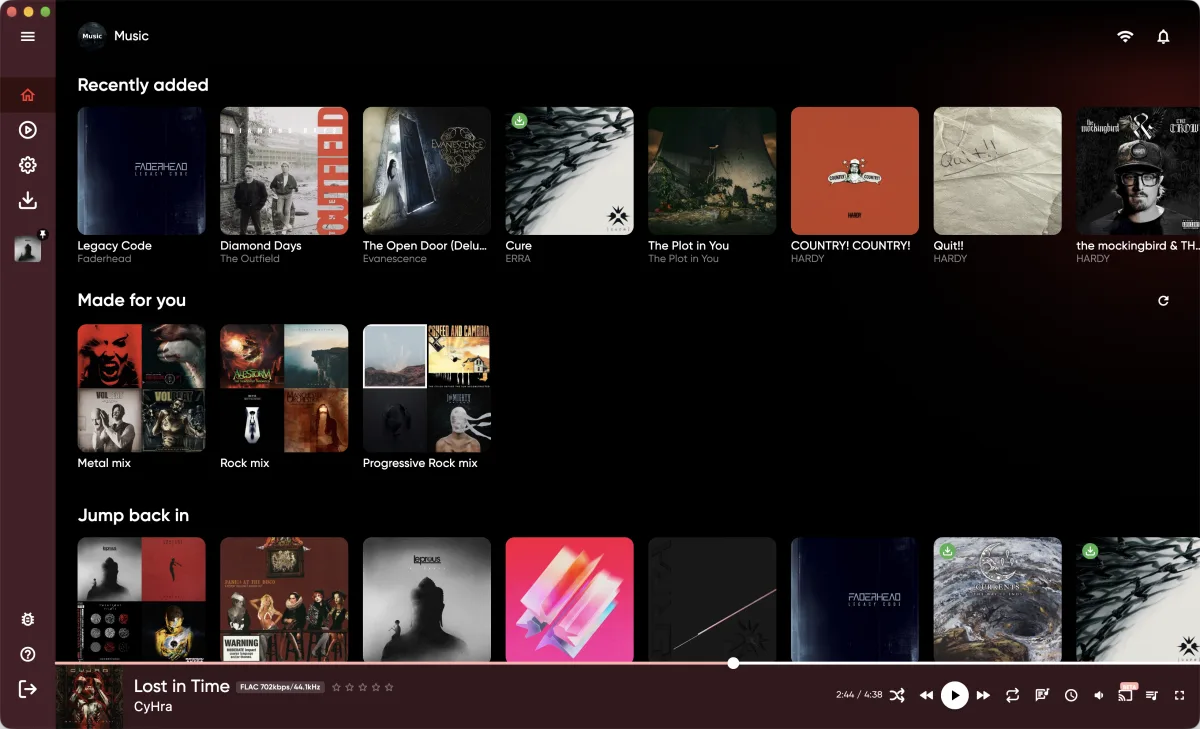
A Jellyfin, Emby and Navidrome music player for Mac.
Native Mac client for Jellyfin, Emby and Navidrome. macOS 12 or later, Apple silicon and Intel.

Details
- Servers
- Jellyfin, Emby and Navidrome, also gonic and LMS
- macOS
- 12 Monterey or later, universal (Apple silicon and Intel)
- Packages
- Mac App Store, notarized DMG or Homebrew, plus a legacy DMG for older Intel Macs
- Formats
- Plays MP3, AAC, ALAC, FLAC, WAV and AIFF directly. Your server converts other formats.
- Desktop
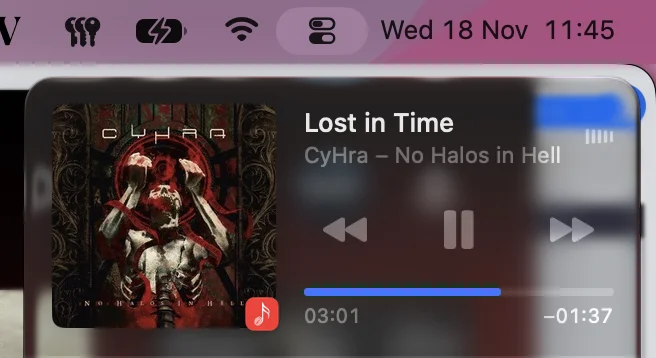
- Now Playing in Control Center, media keys, Discord status (DMG)
- Casting
- AirPlay, Bluetooth, DLNA
App Store, DMG or Homebrew
- Mac App Store: one free listing for Mac, iPhone and iPad. Updates come through the App Store.
- DMG: signed with a Developer ID and notarized by Apple, so it opens without a Gatekeeper warning. Drag JellyBox to Applications.
- Homebrew:
brew install --cask jellyboxinstalls the same DMG build, andbrew upgradeupdates it. - The DMG build shows a banner when a new version is out and can set your Discord status. The App Store sandbox blocks Discord.
Legacy build
On some Intel Macs with integrated Intel Iris graphics the window flickers and the app can crash. The legacy DMG uses Flutter's older Skia renderer instead of Impeller and fixes that. It is a bit slower, so use it only if the regular build misbehaves.
Now Playing and media keys
JellyBox shows up in Now Playing in Control Center with title, artist and cover. Play, pause, next and previous work from there and from the media keys on your keyboard. Space plays and pauses inside the app.
AirPlay and DLNA
The output menu next to the volume button lists AirPlay speakers, Bluetooth devices and DLNA renderers on your network. AirPlay and Bluetooth use the macOS picker.
Library
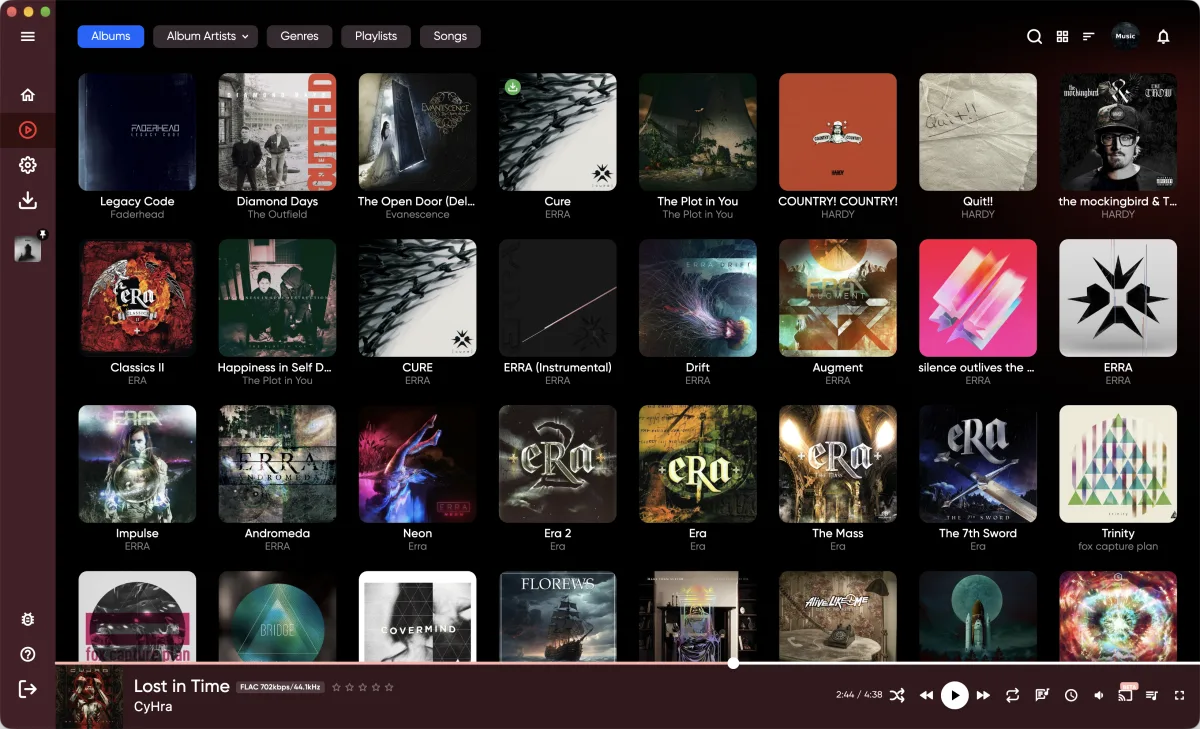
Albums, album artists, genres, playlists and songs, as a grid or a list. The bottom bar shows the codec, bitrate and sample rate of the current track.
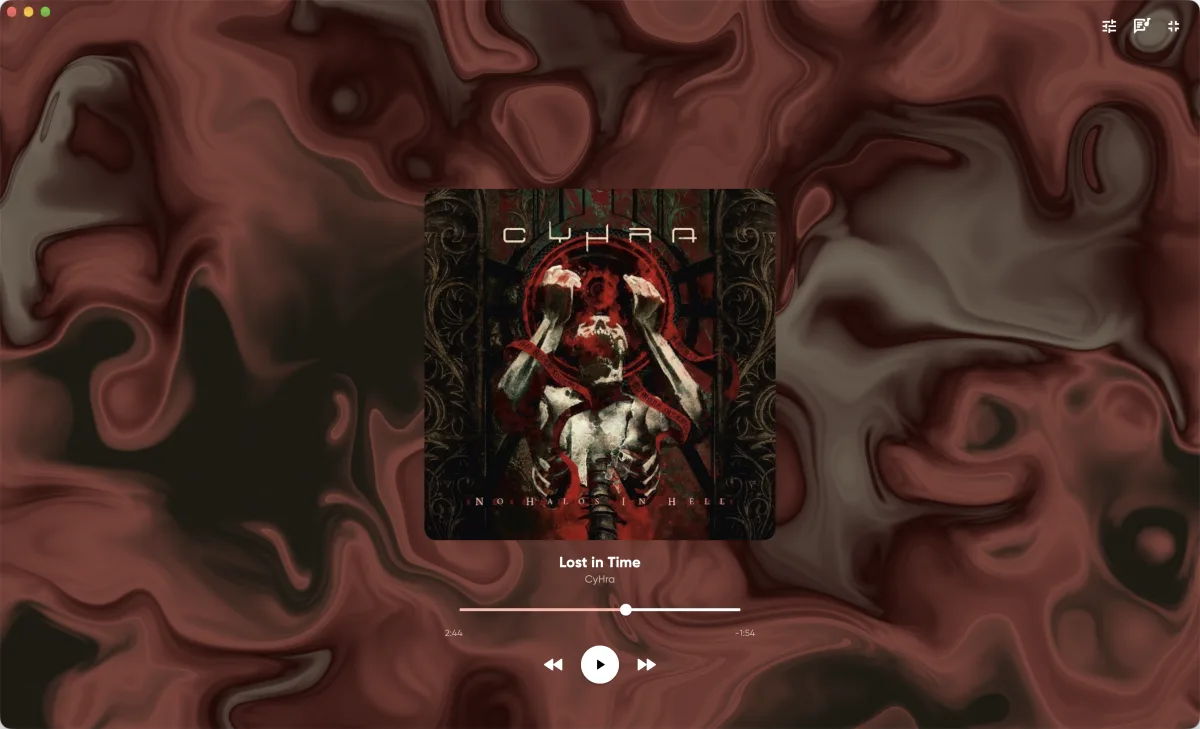
Studio mode
Full-screen player with a choice of animated backgrounds.
Known limitations
- No Chromecast, AirPlay and DLNA only
- Discord status only in the DMG build
Anything missing?
Other platforms
JellyBox also runs on iPhone, iPad, Android, Windows and Linux.
Get JellyBox
JellyBox is free and open source under AGPL-3.0, and works with Jellyfin, Emby and Navidrome servers. Grab it from the download page, or read the source.