CarPlay
Access your Jellyfin, Emby or Navidrome library through Apple CarPlay.
JellyBox puts your Jellyfin, Emby or Navidrome server on the dashboard. Browse the whole library, reorder it without picking up the phone, and play what you already downloaded when the car has no signal.
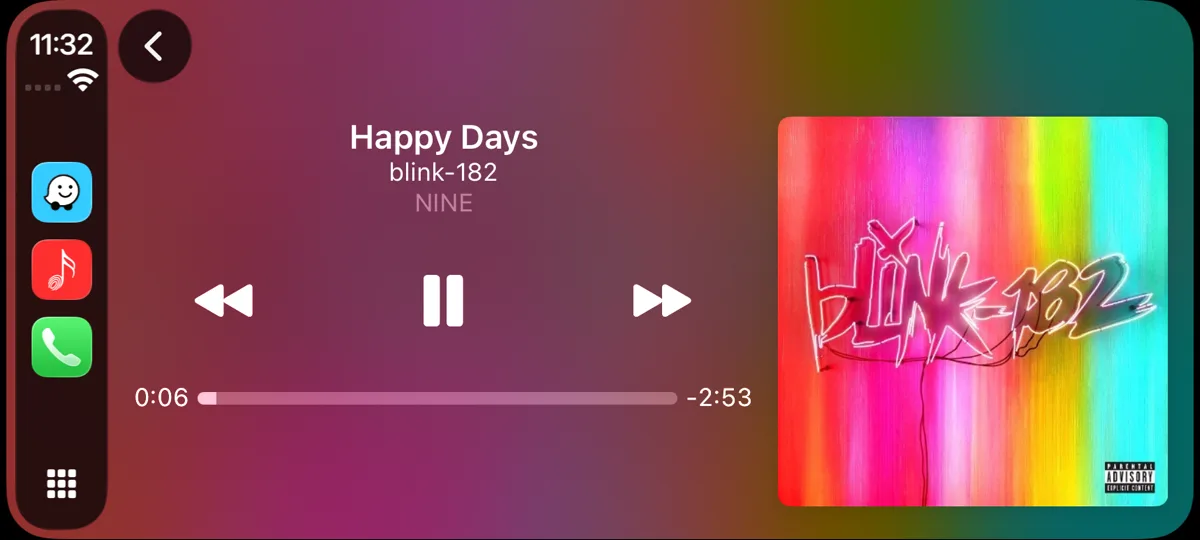
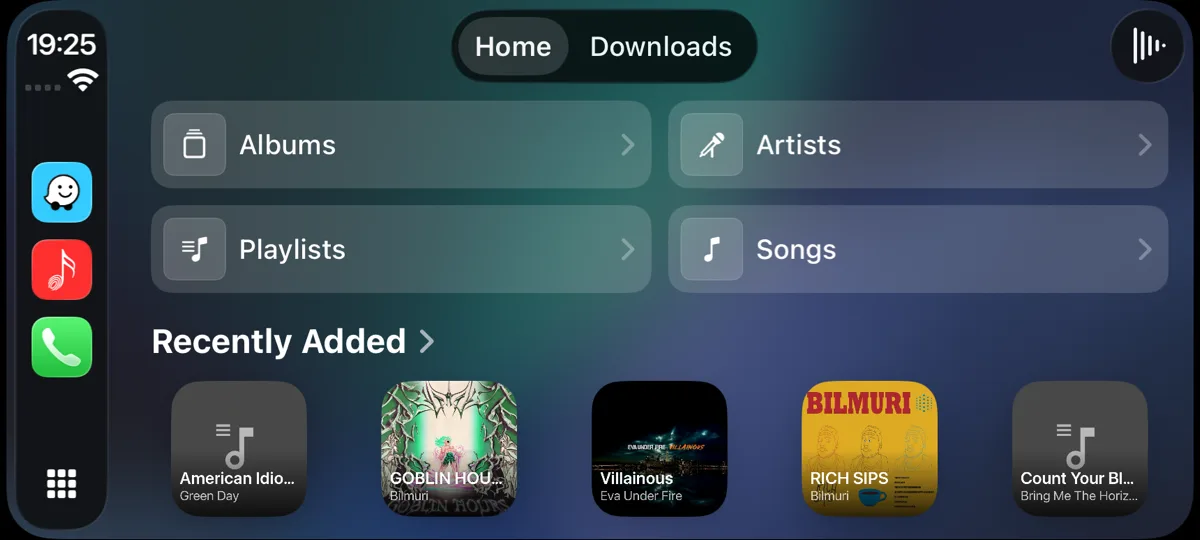
Getting it in your car
Install JellyBox from the App Store on an iPhone running iOS 17.4 or later, open it once, and sign in to your Jellyfin, Emby or Navidrome server. That part has to happen on the phone, because the car screen has nowhere to type a server address.
After that, connect the phone however your car expects, by cable or wirelessly, and JellyBox appears on the CarPlay home screen with your other audio apps. You do not need to open the app again on later drives - it wakes up with the car and picks the session back up.
What you can do from the car screen
It is the whole library on the dashboard, not a shortlist of recent tracks.
- Home opens on tiles for Albums, Artists, Playlists and Songs, with your Made for You mixes and a Recently Added row underneath.
- Albums and artists come up as cover-art grids rather than text rows, so you are picking a record by its sleeve.
- Sort a list by name, by date added or at random, ascending or descending, from a button in the corner. This is the one sort control either car platform has.
- An artist page leads with Play All, then their records.
- Long lists load a hundred at a time with a Load More row, and Playing Next shows the queue so you can jump to any track in it.
Playing without signal
Downloads is a tab of its own on the main screen, because a car is where you are most likely to lose the server. Albums you downloaded on the phone play straight from local storage, without the network and without reaching the server at all, so a tunnel, a car park or a drive out of coverage does not stop the music.
When in bad network coverage area - app can pre-cache your music(see app settings) and play from cache while you get to better network area
Anything missing?
Let me know if there's a feature that you need but it's not here yet. File a ticket here.
Get JellyBox
JellyBox is free and open source under AGPL-3.0, and works with Jellyfin, Emby and Navidrome servers. Grab it from the download page, or read the source.