Linux
A Jellyfin, Emby and Navidrome music player for Linux.
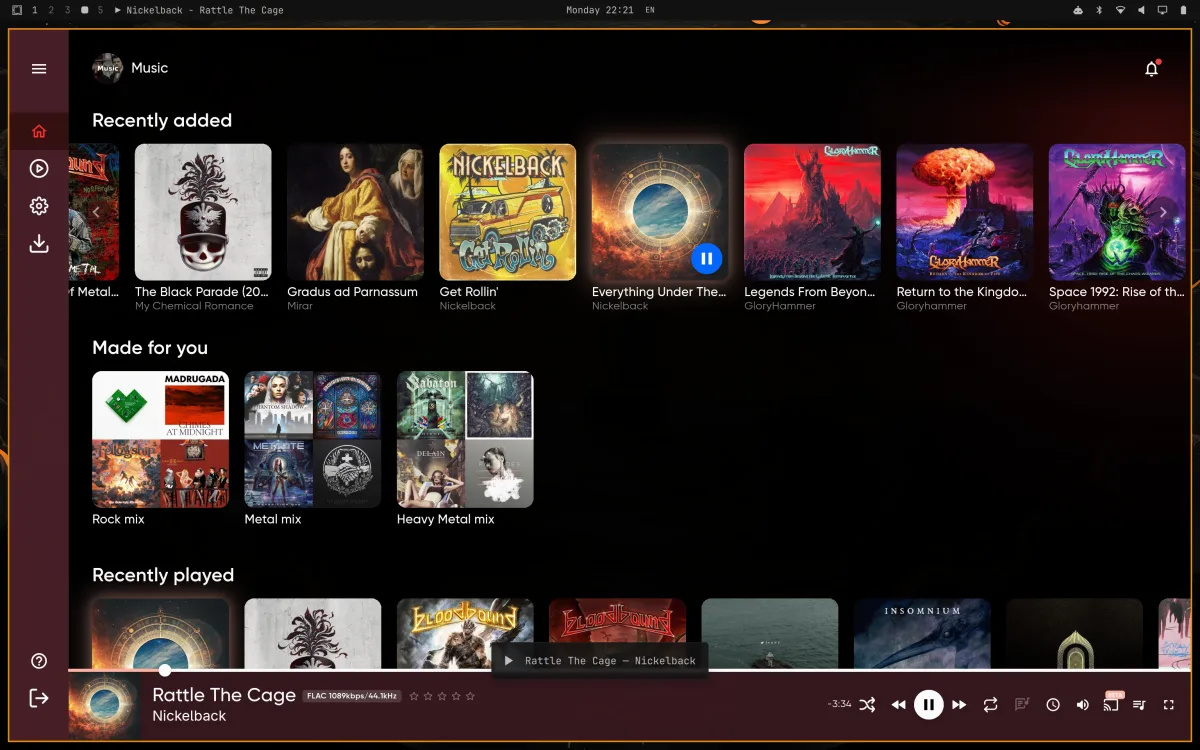
JellyBox runs natively on Linux, on x86_64 and ARM64. Play your own library, download albums for offline listening and control playback from your desktop media controls.
Which download to pick
The AppImage, .deb, .rpm and tarball carry their own libraries, mpv included, so there is nothing else to install.
- Flatpak: runs sandboxed on the freedesktop runtime, which Flatpak pulls from Flathub. Install it with flatpak install and the file name.
- AppImage: one file that runs on any distro. Make it executable and run it.
- .deb for Debian, Ubuntu, Linux Mint and Pop!_OS.
- .rpm for Fedora and openSUSE Tumbleweed.
- Tarball: unpack it anywhere and run jellybox.
x86_64 and ARM64
Every package also comes for 64-bit ARM, including the Raspberry Pi 4 and 5 on a 64-bit OS based on Debian 13 or Ubuntu 24.04.
Requirements
- glibc 2.38 or newer: Ubuntu 24.04, Linux Mint 22, Debian 13, Fedora 39 or later, and rolling distros such as Arch, Manjaro and CachyOS.
- Ubuntu 22.04, Debian 12 and RHEL, Rocky or Alma 9 are too old.
- A keyring service. JellyBox does not work without one. GNOME and KDE Plasma include one (GNOME Keyring and KWallet). On a window manager or compositor without a desktop, such as i3, sway or Hyprland, install gnome-keyring and make sure it starts with your session.
- Jellyfin, Emby or a Navidrome server.
Media controls
JellyBox speaks MPRIS, so it shows up in the GNOME media controls, the KDE Plasma media widget and playerctl, with the current title and artist. Play, pause, next, previous, seek and stop all work from there, and so do the media keys on your keyboard.
Space plays and pauses inside the app. With Discord open, your Discord status shows what you are listening to.
Everything else
The Linux app is the same app as on every other platform: offline downloads, synced lyrics, automatic mixes, ListenBrainz, casting to DLNA TVs and speakers, Continuity between your desktop and phone, and remote access without port forwarding. It runs on X11 and Wayland, including tiling compositors such as Hyprland.
Updates
JellyBox tells you when a new version is out via banner in top part of window. There is no apt or dnf repository yet, so your system updates do not pick it up - download the new package from the same place, there's direct link in banner.
What does not work yet
- Not on Flathub, Snap or the AUR yet.
- No Chromecast from Linux. DLNA casting works.
- On Wayland the window opens centred instead of where you left it.
Anything missing?
Get JellyBox
JellyBox is free and open source under AGPL-3.0, and works with Jellyfin, Emby and Navidrome servers. Grab it from the download page, or read the source.